Version 2.6.16 · 45 MB · Android 7.0+
One App for Cricket, Casino & Crash
The 299date App brings cricket betting, live dealer tables, slot games, and crash games to your Android phone. Deposit in under 4 minutes with bKash or Nagad, withdraw to your wallet in around 39 minutes. The APK is free and takes about 5 minutes to install.
- SSL Encrypted
- 18+ Only
- 24/7 Support
- Android 7.0+
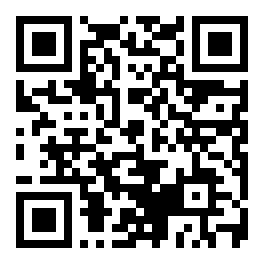 Scan to Download
Get the APK File
After downloading, you may need to allow installs from unknown sources in your phone settings. See the step-by-step guide below.
App vs Browser – What's Different?
Both the app and the browser site give you full access to 299date. Here is what changes when you switch to the app.
| Feature | 299date App | Mobile Browser |
|---|---|---|
| Push Notifications | Score alerts, bonus reminders, withdrawal status – delivered instantly to your screen, even when the app is in the background. | Not available. You have to open the site manually to check updates. |
| Load Speed | Game lobby and live tables open faster because images are cached on your device after the first session. | Loads from scratch each visit. Can be slower on a 3G connection. |
| One-Tap Login | Your session stays active. Open the app and you are on the lobby page within seconds – no typing needed. | Browser may clear cookies. You may need to log in again after closing the tab. |
| Live Score Widget | Compact live cricket score strip visible on the lobby screen at all times. Useful during Bangladesh and IPL matches. | Score panel available but takes up full screen space when open. |
| bKash / Nagad Deposit | Tap-to-open payment screen. The app opens your bKash or Nagad app directly to confirm the payment. | Works but requires switching between tabs manually during the payment step. |
| Game Coverage | Full access to all games including JILI, Evolution, KA Gaming, Habanero, Sexy Gaming – same library as the website. | Same game library. Some older Android browsers may have issues with live video tables. |
| Offline Access | Account summary, transaction history, and bonus status visible offline. Games need an internet connection. | Requires a live connection for all pages to load. |
Already have an account? Log in here. New player? Create your free account before or after installing the app.
Is the 299date APK Safe to Install?
The APK is built and signed by 299date's development team. It is scanned before each release. Here is what the app asks for – and why.
No Unnecessary Permissions
The 299date App does not ask for access to your contacts, messages, or microphone. The only sensitive permission is storage access, which is needed to save the APK update file when you install a new version without visiting the site again. You can review all permissions in Settings → Apps → 299date on your Android phone at any time.
SSL Encryption on Every Connection
All data between your phone and the 299date servers travels over an encrypted HTTPS connection. This covers your login credentials, deposit amounts, game bets, and withdrawal requests. The same SSL certificate used on the website applies inside the app. If you see a connection warning on a public Wi-Fi, switch to mobile data before logging in.
Your Account Data Stays Private
299date does not share your name, bKash number, or betting history with third-party advertisers. Your KYC documents (NID, Passport, or Driving Licence) are stored securely and reviewed only by the verification team. The app does not store your payment credentials locally – every transaction goes directly through your bKash, Nagad, Rocket, Upay, or Bank Transfer account.
Regular Security Updates
299date pushes app updates when security patches are ready. The current version is 2.6.16, released on 9 November 2026. When an update is available, you will see a banner inside the app. Download the new APK from the same link on this page. Do not download from third-party APK sites – only use the official link here.
What You Can Do in the 299date App
The app covers every game type available on the website. Here is a quick look at the six main areas.
Cricket & Sports Betting
Bet on Bangladesh home matches, BPL, IPL, T20 World Cup, and ODI series. The app shows live odds with one-tap bet placement. Cash-out is available on selected markets so you can lock in a return before the match ends. Football leagues including English Premier League are also covered.
Live Casino Tables
Connect to real dealers via live video stream. Games from Evolution and Sexy Gaming include baccarat, roulette, blackjack, and Dragon Tiger. Minimum bet starts at ৳5. The video stream quality adjusts automatically to your connection speed, so it works on a 4G connection without buffering.
Slot Games
Over 2,700 games from JILI, Habanero, and KA Gaming are available in the app. Titles include Honor of Juma (RTP 97.0%), Piggy Gold (RTP 97.7%), and Ganesh Fortune. Filter by provider, RTP range, or bet size. Autoplay and turbo spin modes are supported on all JILI and Habanero slots.
Crash & Aviator Games
Play Aviator and other multiplier crash games with a live graph visible in portrait mode. Cash out before the plane flies away. The app supports fast bet placement with two simultaneous bets per round. See the Aviator Guide for strategy tips before your first round.
Fishing Games
Arcade-style fishing games like Mega Fishing (KA Gaming, RTP 95.5%), All-Star Fishing, and Gold Toad Fishing run smoothly on Android 7.0 and above. Control cannon power with the on-screen slider. Minimum bet is ৳2 for most fishing tables. Special boss rounds appear randomly and pay out at high multipliers.
Deposits & Withdrawals
Add money with bKash, Nagad, Rocket, Upay, or Bank Transfer. Minimum deposit is ৳250, with funds arriving in around 4 minutes. Withdraw from ৳1,500 up to ৳105,000 per day. Withdrawal processing takes about 39 minutes. KYC must be completed once before your first withdrawal – upload your NID or Passport inside the app.

Version & System Requirements
Check these details before you download. The app works on most Android phones sold in Bangladesh since 2019.
| Detail | Specification | Notes |
|---|---|---|
| Version | 2.6.16 | Latest stable release |
| File Size | 45 MB | Download over Wi-Fi to save mobile data |
| Min Android | Android 7.0 (Nougat) | Works on Android 7.0, 8, 9, 10, 11, 12, 13, 14 |
| Updated | 9 November 2026 | Check this page for future updates |
| Price | Free | No subscription or one-time payment |
| Language | English / Bangla | Switch language inside Settings in the app |
| iOS Support | No native app | Use Safari Add-to-Home-Screen method (see below) |
How to Install the 299date App on Android
The process takes about 5 minutes. You only need to allow "unknown sources" once – your phone remembers the setting.
-
1
Allow Installs from Unknown Sources
Open your phone's Settings → Security (on some Samsung phones: Settings → Biometrics and Security → Install Unknown Apps). Find your browser or file manager in the list and turn on "Allow from this source." This one-time step lets Android install APK files that come from outside the Play Store. You can turn it off again after installation if you want.
-
2
Download the APK File
Tap the Download APK – Free button at the top of this page or the button in the download box above. Your browser will save 299date.apk (45 MB) to your phone's Downloads folder. Use a Wi-Fi connection if you are on a limited mobile data plan. The download usually finishes in under a minute on a standard connection in Dhaka.
-
3
Open the Downloaded File
Pull down your notification bar and tap the completed download notification for 299date.apk. Alternatively, open your Files or My Files app, go to the Downloads folder, and tap the file. Android will show an install prompt. If it asks again about unknown sources, tap Settings and allow it, then press the back button to return to the install screen.
-
4
Tap Install and Wait
On the install confirmation screen, tap Install. Android copies the app files to your device. This takes 20–40 seconds depending on your phone model. Do not lock your screen during this step. When you see "App Installed", the 299date App icon will appear on your home screen and in the app drawer. Tap Open to launch it straight away.
-
5
Log In or Register
If you already have a 299date account, enter your username and password on the login screen. New users: tap Register inside the app or visit the registration page first. After logging in, go to Deposit, choose bKash or Nagad, enter ৳250 or more, and confirm in your payment app. Your balance updates in around 4 minutes.


Quick Stats
- Games
- 2,700+
- Deposit In
- ~4 min
- Min Deposit
- ৳250
- Withdraw In
- ~39 min
Using an iPhone? Add 299date to Your Home Screen
Apple does not allow APK installation. iPhone users can save the 299date website as a home screen shortcut. It opens full-screen with no browser bar, close to the app experience.
-
Open in SafariGo to 299date.club in Safari. The Add-to-Home-Screen feature only works in Safari – not Chrome or Firefox on iOS.
-
Tap the Share IconTap the square-with-arrow icon at the bottom of the Safari screen. Scroll down in the share sheet to find "Add to Home Screen."
-
Name the ShortcutType 299date as the name. Tap Add in the top-right corner. The 299date icon will appear on your home screen.
-
Open and PlayTap the icon on your home screen. The site opens in full-screen mode without the Safari address bar. Log in with your existing account or register a new one.
iOS vs Android – Feature Gaps
| Feature | Android App | iOS (Home Screen) |
|---|---|---|
| Push Notifications | Yes | Limited (iOS 16.4+) |
| Offline Account View | Yes | No |
| Full Game Library | Yes | Yes (via browser) |
| bKash Direct Open | Yes | Manual switch |
| One-Tap Login | Yes | Partial (Face ID/Password autofill) |
For the full app experience, we recommend Android. All game types including live casino and crash games run on both platforms.
Install Problems? Check This Table
Most errors during installation come from one of these five causes. Find your error message and follow the fix.
| Problem | Likely Cause | Fix |
|---|---|---|
| "Install Blocked" message on screen | Unknown sources option is off for your browser or file manager. Android blocks APK installs by default to protect users who have not explicitly chosen to sideload apps. | Go to Settings → Security (or Biometrics and Security on Samsung). Find your browser in the list and toggle on "Allow from this source." Return to the APK file and tap Install again. |
| "Parse Error" during install | The APK file did not download completely. This happens when the download was interrupted mid-way, or the file was saved in a corrupted state due to low storage space. | Delete the downloaded file. Free up at least 100 MB on your phone. Download the APK again using the button on this page. Use Wi-Fi rather than mobile data for a stable transfer. |
| App crashes immediately after opening | Your Android version is below 7.0, or another app is conflicting with the graphics renderer. Some very old custom Android skins also cause launch failures. | Check your Android version in Settings → About Phone. If it is below 7.0, upgrade your firmware or use the mobile browser version instead. If the version is 7.0+, restart your phone and try opening the app again. |
| Download stops at a percentage and does not resume | Your internet connection dropped during download. This is common on mobile data with weak signal, or when switching between Wi-Fi and data mid-download. | Check that you have a stable connection. Connect to Wi-Fi. Delete the partial download file from your Downloads folder, then tap the download button again. The 45 MB file usually completes in 1–2 minutes on a good Wi-Fi connection. |
| Login page shows blank white screen | The app cache from a previous version is conflicting with the new build. This happens when updating over an older installation without clearing data first. | Go to Settings → Apps → 299date → Storage → Clear Cache. Then close and reopen the app. If the blank screen persists, tap Clear Data (this removes your saved session but not your account). Log back in with your username and password. |
Still stuck? Contact the 299date support team via 24/7 Live Chat inside the app or on the website. Have your Android version and phone model ready when you connect.
Common Questions About the 299date App
01Is the 299date APK safe to download and install?
Yes. The APK hosted at /download/299date.apk is the official file built and signed by the 299date development team. It is scanned for malware before each release. Do not download the APK from any third-party APK mirror site – those files may be modified. The app does not ask for access to your contacts, messages, or camera. The only storage permission it uses is for saving update files. You can check all permissions anytime in Settings → Apps → 299date on your Android phone.
02How do I update to a newer version of the app?
When a new version is released, you will see an update banner on the app's home screen. Tap it to go to the download page, or come back to this page and download the latest APK. Install the new APK on top of the old one – your account data, bonus balance, and settings will be preserved. You do not need to uninstall first. The current version is 2.6.16, updated on 9 November 2026. Check this page regularly during major cricket tournaments when updates often include new betting markets.
03Can I use the same account on multiple devices?
Yes. Your 299date account is tied to your username and password, not your device. You can log in on your personal phone, a tablet, and a laptop browser at the same time. Your wallet balance, bonus status, and bet history are shared across all sessions. If you are using the app on a second phone, download the same APK and log in. We do not limit devices per account. For security, avoid logging in on shared or public phones.
04What happens if my phone runs out of storage during the install?
If your phone has less than 100 MB of free space, Android may fail to unpack the APK and show a "storage full" or "parse error" message. The downloaded APK itself is 45 MB, but Android needs temporary working space during installation. Clear at least 100 MB before you start: go to Settings → Storage, delete old photos, videos, or unused apps. Then delete the failed APK download and try again. Installing to an SD card is not supported – the app installs to internal storage only.
05Does the app work on older Android phones sold in Bangladesh?
The 299date App supports Android 7.0 and above. Most entry-level phones sold in Bangladesh from 2019 onwards run at least Android 8 or 9. If your phone is older, go to Settings → About Phone → Android Version to check. If you are on Android 6 (Marshmallow) or earlier, the app will not install. In that case, use the 299date website on your mobile browser – all games, deposits, and withdrawals are available there too. Live video streams from Evolution tables work on Chrome for Android 6+.
06Can I play for free or do I need to deposit first?
You need to register and make a minimum deposit of ৳250 to play real-money games. Some slot games offer a demo mode that you can access without depositing – look for the "Try Demo" button on the game card in the lobby. Demo mode uses virtual credits and winnings cannot be withdrawn. To claim the welcome bonus (150% on your first deposit, up to ৳8,500), you must deposit real money. Wagering requirement is 7x the bonus amount before withdrawal.
07How do I withdraw my winnings from the app?
Open the app, go to Wallet → Withdraw, choose your method (bKash, Nagad, Rocket, Upay, or Bank Transfer), and enter the amount. Minimum withdrawal is ৳1,500, maximum is ৳105,000 per day. First-time withdrawals take up to 2 hours because KYC verification is required. Upload your NID, Passport, or Driving Licence inside the app under Account → Verify. After KYC is approved (within 6 hours), subsequent withdrawals process in around 39 minutes. See the Withdrawal & KYC Guide for step-by-step instructions.
Security & Responsible Gaming
The 299date App is for players aged 18 and above. All transactions are protected by SSL encryption. Set a deposit limit inside the app under Account → Responsible Gaming. If you need to take a break, the self-exclusion option is available under the same menu. Play within your means. 18+ · Play Responsibly.
Ready to Download the 299date App?
Free to install. Works on Android 7.0+. Cricket betting, live casino, and fast bKash deposits in one place.
Version 2.6.16 · 45 MB · Android 7.0+ · Updated 9 Nov 2026